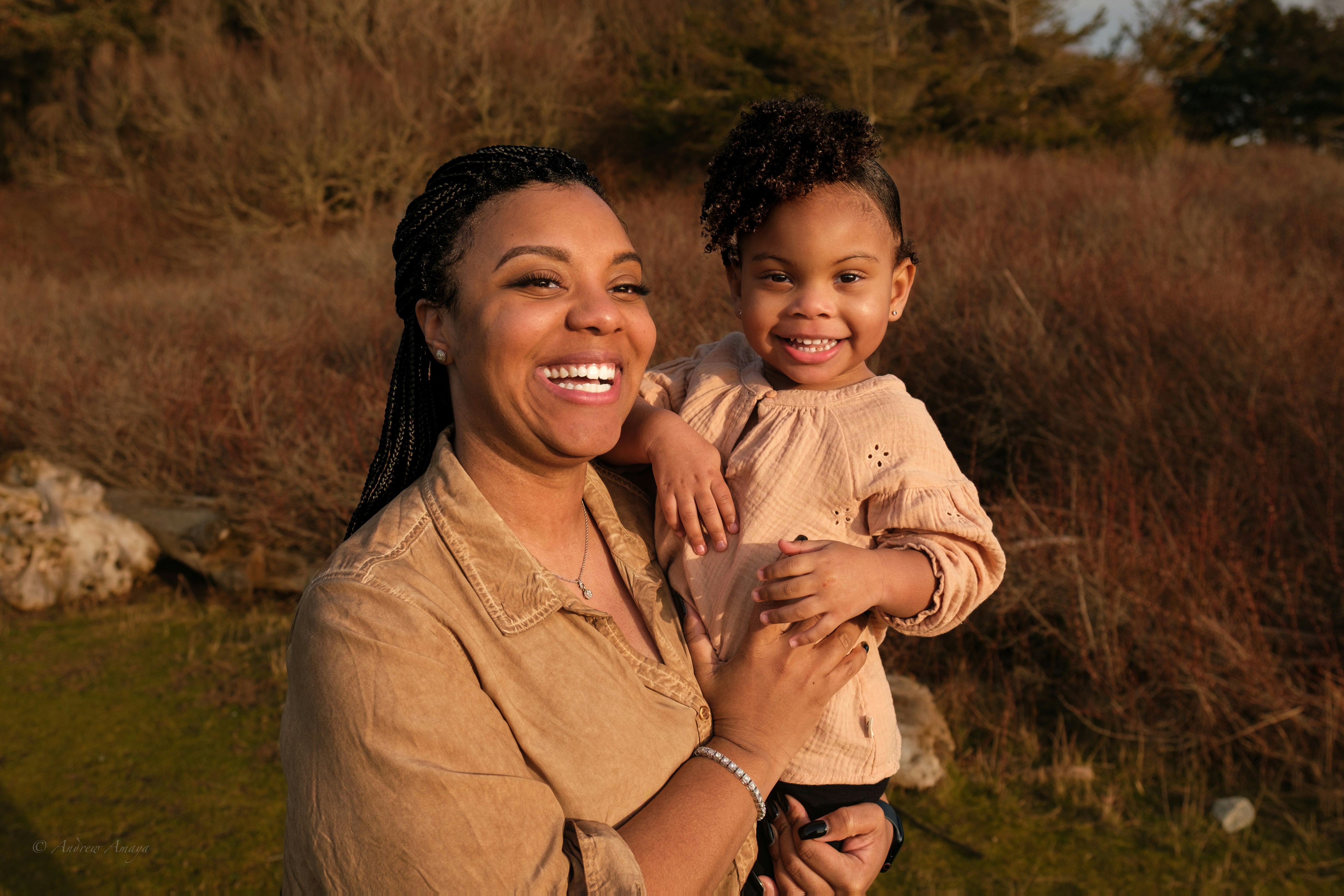
Sarah: First-time mom
Primary goal: To know that her baby is developing normally without having to juggle multiple apps/websites.
TOOLS:
TOOLS:
FIGMA, CLAUDE, LOVABLE
FIGMA, CLAUDE, LOVABLE
ROLE:
ROLE:
BRANDING, DESIGN SYSTEM, APP UX, UX RESEARCH
BRANDING, DESIGN SYSTEM, APP UX, UX RESEARCH
TEAM:
TEAM:
EMMA JENKINS & SHRIN ROYMOULIK
EMMA JENKINS & SHRIN ROYMOULIK

New parents often turn to the internet for guidance, only to find themselves overwhelmed by scattered advice and conflicting information. BabySteps was designed as a supportive digital companion, helping new parents understand their baby's development while capturing the meaningful moments along the way.
New parents often turn to the internet for guidance, only to find themselves overwhelmed by scattered advice and conflicting information. BabySteps was designed as a supportive digital companion, helping new parents understand their baby's development while capturing the meaningful moments along the way.


This gap presented an opportunity to design a single platform that combines trusted developmental guidance, milestone tracking, and memory-keeping into one cohesive experience.
How might we design a parenting companion that reduces anxiety, builds confidence, and turns everyday milestones into lasting memories?
Success was defined as parents being able to understand their baby's current developmental stage, log a milestone memory, and access trustworthy guidance all within a single, low-friction session.
This gap presented an opportunity to design a single platform that combines trusted developmental guidance, milestone tracking, and memory-keeping into one cohesive experience.
How might we design a parenting companion that reduces anxiety, builds confidence, and turns everyday milestones into lasting memories?
Success was defined as parents being able to understand their baby's current developmental stage, log a milestone memory, and access trustworthy guidance all within a single, low-friction session.
Using a mixed-methods approach, research focused on identifying the emotional and practical needs of new parents, assessing existing solutions, and validating product positioning before any design decisions were made.
8 survey responses
3 competitors analyzed
1 value prop test
Using a mixed-methods approach, research focused on identifying the emotional and practical needs of new parents, assessing existing solutions, and validating product positioning before any design decisions were made.
8 survey responses
3 competitors analyzed
1 value prop test
A polished sleep and routine tracking app with predictive insights (ie. nap time prediction). Strong on scheduling, but not designed for milestone tracking or memory-keeping.

Thoughtfully designed developmental play kits, but costly and entirely physical. No meaningful digital experience.

Articles and expert advice focused on pre-conception and pregnancy, but content is shallow and lacks post-birth baby support.

A polished sleep and routine tracking app with predictive insights (ie. nap time prediction). Strong on scheduling, but not designed for milestone tracking or memory-keeping.
Thoughtfully designed developmental play kits, but costly and entirely physical. No meaningful digital experience.
Articles and expert advice focused on pre-conception and pregnancy, but content is shallow and lacks post-birth baby support.
The persona created reflects a first-time parent navigating the emotional and practical challenges of early childhood development, grounding every design decision in real user needs.
The persona created reflects a first-time parent navigating the emotional and practical challenges of early childhood development, grounding every design decision in real user needs.
Low-fidelity wireframes established navigation structure and information hierarchy before any visual direction was set. The central question at this stage was how to show developmental content without overwhelming a parent who might be exhausted or stressed.
An early consideration was whether milestone tracking, memory-keeping, and expert content should live in separate areas or be woven into a unified experience. We chose a single monthly hub, the Milestones tab, that brings all three together, reducing the need to move between sections.
Low-fidelity wireframes established navigation structure and information hierarchy before any visual direction was set. The central question at this stage was how to show developmental content without overwhelming a parent who might be exhausted or stressed.
An early consideration was whether milestone tracking, memory-keeping, and expert content should live in separate areas or be woven into a unified experience. We chose a single monthly hub, the Milestones tab, that brings all three together, reducing the need to move between sections.


A significant part of my role involved building the full visual identity through the logo, colour palette, and typography. The core design principle was emotional warmth without sentimentality. BabySteps needed to feel trustworthy and calm, not clinical or overly cutesy.
The peek-a-boo logo illustrates a baby's face with their hands raised in front; a simple, recognizable image that ties directly to the app's name and the playful nature of early development. Paired with the lowercase lettering, it balances warmth with credibility without leaning into typical baby-product iconography.
The colour palette draws from nature rather than nursery conventions. Cool blues and muted greens signal calm and care without the saccharine quality of typical baby-brand pastels. Shades like Ash and Cloud provide neutral surfaces that wont compete with content uploaded by parents.
Typography pairs Raleway for headings with Roboto for body text, prioritizing legibility at smaller sizes. The scale was built to work well for someone reading one-handed at 2am; generous sizing, high contrast, nothing that requires squinting.
A significant part of my role involved building the full visual identity through the logo, colour palette, and typography. The core design principle was emotional warmth without sentimentality. BabySteps needed to feel trustworthy and calm, not clinical or overly cutesy.
The peek-a-boo logo illustrates a baby's face with their hands raised in front; a simple, recognizable image that ties directly to the app's name and the playful nature of early development. Paired with the lowercase lettering, it balances warmth with credibility without leaning into typical baby-product iconography.
The colour palette draws from nature rather than nursery conventions. Cool blues and muted greens signal calm and care without the saccharine quality of typical baby-brand pastels. Shades like Ash and Cloud provide neutral surfaces that wont compete with content uploaded by parents.
Typography pairs Raleway for headings with Roboto for body text, prioritizing legibility at smaller sizes. The scale was built to work well for someone reading one-handed at 2am; generous sizing, high contrast, nothing that requires squinting.
A significant part of my role involved building the full visual identity through the logo, colour palette, and typography. The core design principle was emotional warmth without sentimentality. BabySteps needed to feel trustworthy and calm, not clinical or overly cutesy.
The peek-a-boo logo illustrates a baby's face with their hands raised in front; a simple, recognizable image that ties directly to the app's name and the playful nature of early development. Paired with the lowercase lettering, it balances warmth with credibility without leaning into typical baby-product iconography.
The colour palette draws from nature rather than nursery conventions. Cool blues and muted greens signal calm and care without the saccharine quality of typical baby-brand pastels. Shades like Ash and Cloud provide neutral surfaces that wont compete with content uploaded by parents.
Typography pairs Raleway for headings with Roboto for body text, prioritizing legibility at smaller sizes. The scale was built to work well for someone reading one-handed at 2am; generous sizing, high contrast, nothing that requires squinting.


A clickable Figma prototype was built to demonstrate the core concept, showing how the app's key screens connect and how one might move between them. Tab navigation is functional, giving a clear sense of overall flow and information architecture. As a proof of concept, the focus was on communicating the product direction rather than simulating a fully interactive experience.
The product experience was built around reducing anxiety and supporting parents both practically and emotionally. Five core features make up the MVP, each grounded in our research.
Home
A monthly view that shows what to expect, expert tips, and play activities in one scroll. Content is scoped to exactly where the baby is right now, reducing overload while increasing relevance. A persistent + button lets parents log milestone moments directly to the Memory Book with ease.
Milestones
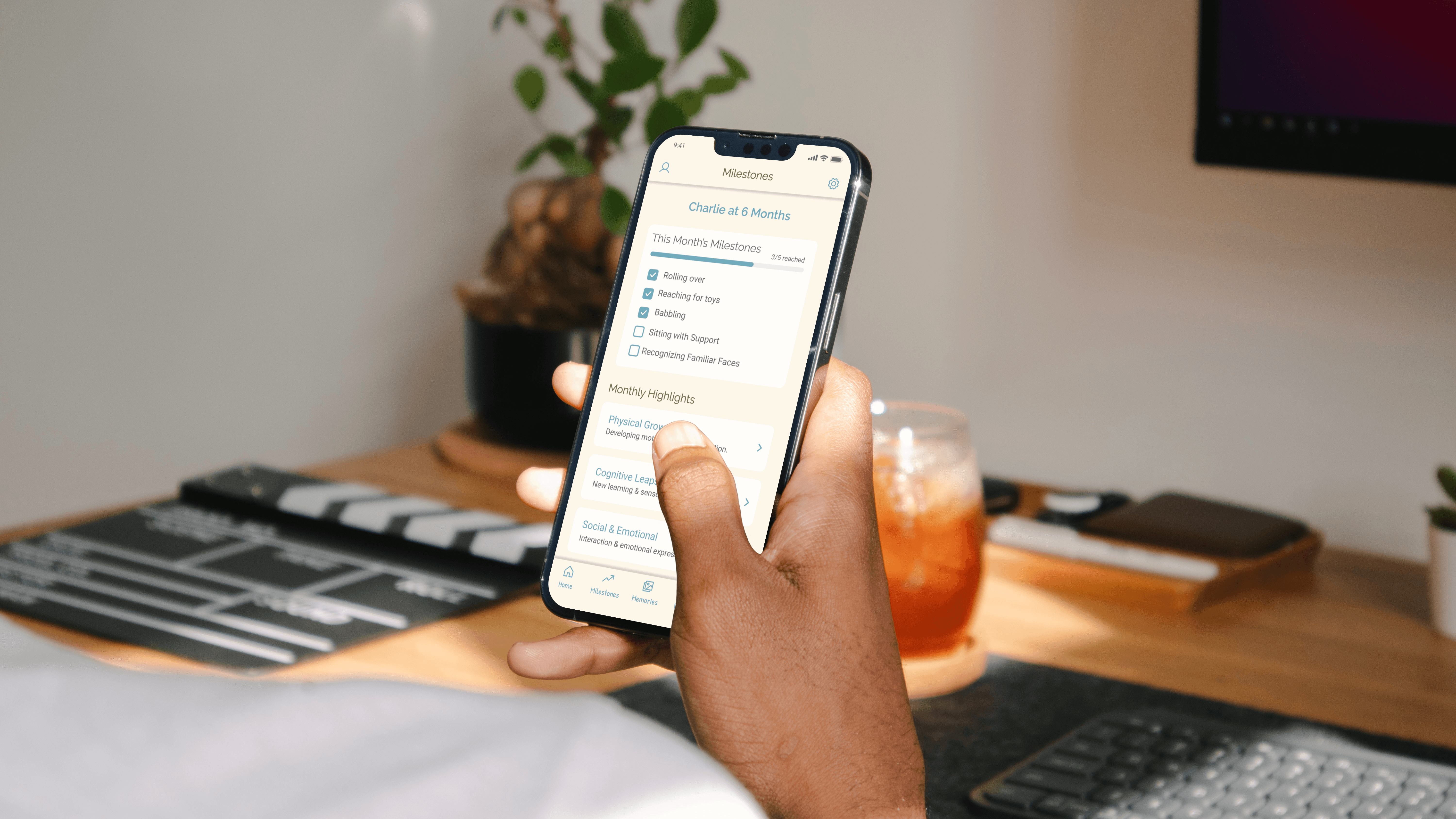
A dedicated tracker shows progress against age-appropriate milestones, organized by developmental category. The progress bar and checklist format give parents a clear overview of where their baby is without over-indexing on what hasn't happened yet. Supporting articles, activities, and videos keep parents informed on what to expect.
Memories (Digital Memory Book)
Parents can attach photos and notes to milestone moments, automatically organized into a chronological timeline. The empty state actively invites contribution ("Ready to capture a moment?") rather than showing a blank screen, reducing friction at the moment of first use.
Wellness (Parent check-in)
An emotional check-in with mood selection that responds with tailored content including affirmations, breathing exercises, or reflective prompts. Acknowledging that supporting a baby starts with supporting the parent; parental wellbeing is treated as a first-class feature, not an afterthought.
Community
The community tab is organized into focused groups with member counts that signal active participation. An Expert Corner tab sits alongside Community Groups, keeping peer support and professional guidance accessible from the same space. Groups are intentionally small and topic-specific to avoid the overwhelm of large general parenting forums.
A clickable Figma prototype was built to demonstrate the core concept, showing how the app's key screens connect and how one might move between them. Tab navigation is functional, giving a clear sense of overall flow and information architecture. As a proof of concept, the focus was on communicating the product direction rather than simulating a fully interactive experience.
The product experience was built around reducing anxiety and supporting parents both practically and emotionally. Five core features make up the MVP, each grounded in our research.
Home
A monthly view that shows what to expect, expert tips, and play activities in one scroll. Content is scoped to exactly where the baby is right now, reducing overload while increasing relevance. A persistent + button lets parents log milestone moments directly to the Memory Book with ease.
Milestones
A dedicated tracker shows progress against age-appropriate milestones, organized by developmental category. The progress bar and checklist format give parents a clear overview of where their baby is without over-indexing on what hasn't happened yet. Supporting articles, activities, and videos keep parents informed on what to expect.
Memories (Digital Memory Book)
Parents can attach photos and notes to milestone moments, automatically organized into a chronological timeline. The empty state actively invites contribution ("Ready to capture a moment?") rather than showing a blank screen, reducing friction at the moment of first use.
Wellness (Parent check-in)
An emotional check-in with mood selection that responds with tailored content including affirmations, breathing exercises, or reflective prompts. Acknowledging that supporting a baby starts with supporting the parent; parental wellbeing is treated as a first-class feature, not an afterthought.
Community
The community tab is organized into focused groups with member counts that signal active participation. An Expert Corner tab sits alongside Community Groups, keeping peer support and professional guidance accessible from the same space. Groups are intentionally small and topic-specific to avoid the overwhelm of large general parenting forums.
A clickable Figma prototype was built to demonstrate the core concept, showing how the app's key screens connect and how one might move between them. Tab navigation is functional, giving a clear sense of overall flow and information architecture. As a proof of concept, the focus was on communicating the product direction rather than simulating a fully interactive experience.
The product experience was built around reducing anxiety and supporting parents both practically and emotionally. Five core features make up the MVP, each grounded in our research.
Home
A monthly view that shows what to expect, expert tips, and play activities in one scroll. Content is scoped to exactly where the baby is right now, reducing overload while increasing relevance. A persistent + button lets parents log milestone moments directly to the Memory Book with ease.
Milestones
A dedicated tracker shows progress against age-appropriate milestones, organized by developmental category. The progress bar and checklist format give parents a clear overview of where their baby is without over-indexing on what hasn't happened yet. Supporting articles, activities, and videos keep parents informed on what to expect.
Memories (Digital Memory Book)
Parents can attach photos and notes to milestone moments, automatically organized into a chronological timeline. The empty state actively invites contribution ("Ready to capture a moment?") rather than showing a blank screen, reducing friction at the moment of first use.
Wellness (Parent check-in)
An emotional check-in with mood selection that responds with tailored content including affirmations, breathing exercises, or reflective prompts. Acknowledging that supporting a baby starts with supporting the parent; parental wellbeing is treated as a first-class feature, not an afterthought.
Community
The community tab is organized into focused groups with member counts that signal active participation. An Expert Corner tab sits alongside Community Groups, keeping peer support and professional guidance accessible from the same space. Groups are intentionally small and topic-specific to avoid the overwhelm of large general parenting forums.


BabySteps targets millennial and Gen Z parents who are digitally native, but overwhelmed by content. The monetization model is built around a freemium structure: core milestone tracking and guidance are free, with a premium tier unlocking extended memory storage, expert access, and downloadable keepsake formats.
Go-to-market focuses on organic reach before paid spend. Pre-launch content, like milestone guides, developmental explainers, builds an audience on Instagram and TikTok before the app is live. Early access for email subscribers and influencer partnerships in the parenting space drive initial downloads. The brand's emotional tone is a natural fit for shareable content, making organic growth a realistic primary channel.
BabySteps targets millennial and Gen Z parents who are digitally native, but overwhelmed by content. The monetization model is built around a freemium structure: core milestone tracking and guidance are free, with a premium tier unlocking extended memory storage, expert access, and downloadable keepsake formats.
Go-to-market focuses on organic reach before paid spend. Pre-launch content, like milestone guides, developmental explainers, builds an audience on Instagram and TikTok before the app is live. Early access for email subscribers and influencer partnerships in the parenting space drive initial downloads. The brand's emotional tone is a natural fit for shareable content, making organic growth a realistic primary channel.
BabySteps pushed me to think beyond the screen. The biggest shift was recognizing that the core design problem wasn't information architecture, it was emotional reassurance. Most parenting tools are built around data and content delivery. Fewer are designed to make a parent feel less alone at 3 am.
This project was also more business-integrated than my previous work. Thinking through monetization, go-to-market strategy, and positioning alongside product design forced me to make decisions differently, not just what feels right for the user, but what makes sense for the product to exist sustainably.
If this project were to continue, the immediate next step would be recruiting new parents for interviews and usability testing. The survey provided directional validation, but real-world testing of the prototype, particularly the memory-logging flow and the wellness check-in, would reveal whether the emotional tone lands as intended. I'd also want to explore whether the freemium threshold is set correctly, and how parents respond to the premium ask at a moment when they're already spending heavily on a new baby.
BabySteps pushed me to think beyond the screen. The biggest shift was recognizing that the core design problem wasn't information architecture, it was emotional reassurance. Most parenting tools are built around data and content delivery. Fewer are designed to make a parent feel less alone at 3 am.
This project was also more business-integrated than my previous work. Thinking through monetization, go-to-market strategy, and positioning alongside product design forced me to make decisions differently, not just what feels right for the user, but what makes sense for the product to exist sustainably.
If this project were to continue, the immediate next step would be recruiting new parents for interviews and usability testing. The survey provided directional validation, but real-world testing of the prototype, particularly the memory-logging flow and the wellness check-in, would reveal whether the emotional tone lands as intended. I'd also want to explore whether the freemium threshold is set correctly, and how parents respond to the premium ask at a moment when they're already spending heavily on a new baby.


